 | This article does not cite any sources. (March 2022) |
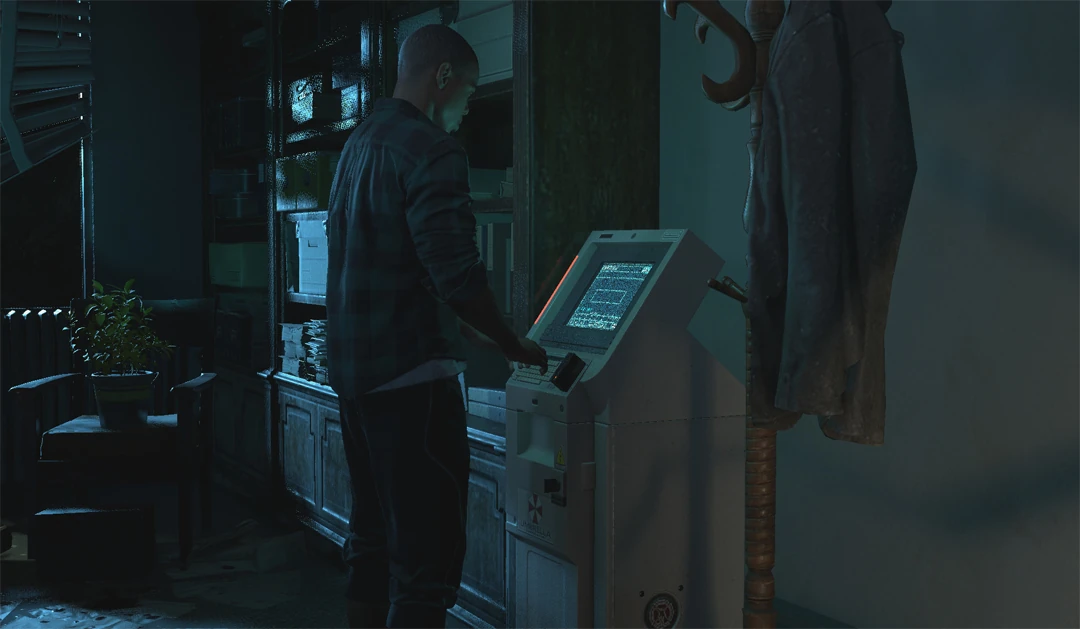
Tyrone Henry deactivating a device.
Security Device is an objective in Resident Evil: Resistance.
Gameplay
Three Security Devices will appear every time at Area 2 of every map. The locations of the three can change based on the Map Preset of the Mastermind. Survivors can mark the Security Device for their own map and their teammate's by aiming at it, approaching it or interacting with it.
However, the only way to deactivate a Security Device is by using the Security Card on it. Only the player holding the card is able to deactivate the devices, the card can be dropped and exchanged between the Survivors as needed.
If a Survivor takes any type of damage, the animation will be cancelled and they will have to start deactivating it again. If players have the Infection status, they will not cough during the animation.
Each Security Device will add +30 seconds to the Timer when deactivated. By default, it takes five seconds to deactivate a device.
Skills and Equipments
Some skills and equipments can affect the Security Devices, either by making the deactivation time longer (Mastermind) or shorter (Survivor).
- Skills
- Spencer, Umbrella Tech (Defense System) - Decoy puzzle pieces appear in Area 1. Security Device deactivation time is increased in Area 2, and Bio Core HP is increased in Area 3.
- Equipments
- USB Drive I, USB Drive II, USB Drive III - Decreases the time it takes to deactivate mission devices.
- Baton - Slightly increases damage dealt to doors and decreases the time it takes to deactivate Security Devices.
Possible Locations
Below is a gallery with the possible locations of Security Devices in every map (click to enlarge):


Gallery


External links
| |||||||||||||||||||||||||||||
| ||||||||||||||||||||||||||||

